Optimization
July 21, 2026
If you've spent any time trying to figure out TikTok, you've probably noticed something weird: the view counts look great, the comments are active, the algorithm seems to like you, and still, almost nobody ends up buying anything.
So you do what everyone does. You optimize the content. Try a different hook. Post at a better time. Test a new sound. And the views keep coming. The conversions don't, That’s the "TikTok views but no sales" problem in one sentence, and it happens because no TikTok sales strategy works when the conversion path is broken by the “link in bio” step.
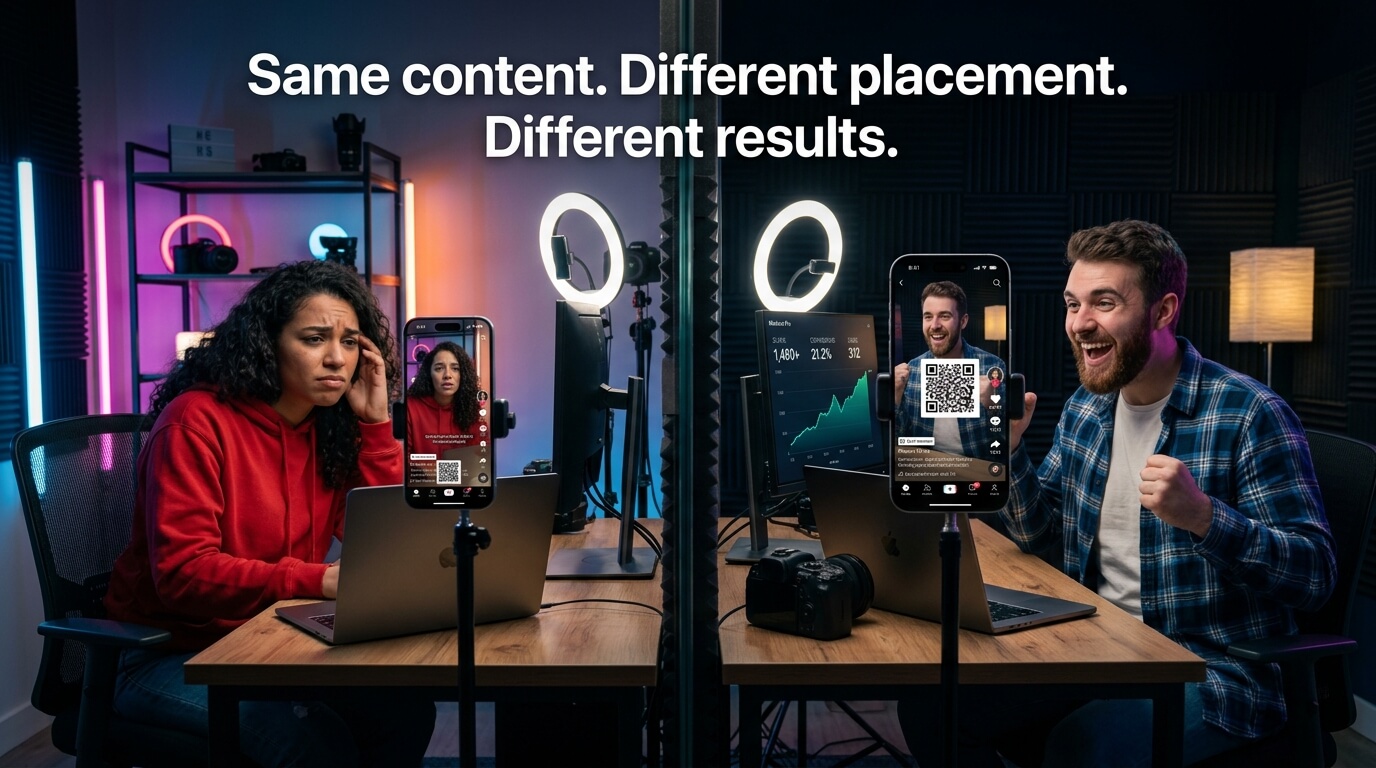
Here's what's actually happening. You're optimizing the wrong thing. TikTok conversion optimization isn't about getting more views, it's about what happens to those views once you have them. And right now, the thing that's supposed to convert them, "link in bio", is working against you in two separate ways (Reach and Conversion) at the same time.
TikTok's engine is genuinely good at putting content in front of the right people. If your video gets watched, rewatched, and shared, the algorithm figures out who else wants to see it and distributes it accordingly. That part works.
The problem starts the moment you ask those people to do something outside of TikTok.
TikTok is built to keep people on TikTok. The entire design - infinite scroll, autoplay, seamless transitions - is engineered to eliminate the reasons someone would stop watching. When you say "link in bio," you're not just asking someone to click a link. You're asking them to break the very experience that TikTok spent billions engineering to be unbreakable and that’s exactly where your TikTok funnel actually breaks.
Most of your audience probably won't convert, not because they're not interested in your product, but because TikTok is designed to make staying on the platform easier than leaving to take action somewhere else.
Understanding TikTok conversion optimization starts with understanding how TikTok's recommendation system actually works. The algorithm doesn't primarily rely on how many followers you have. It cares about how people interact with your content.

The primary signals it uses: watch time, completion rate, replays, shares, and saves. In 2025, saves and shares are weighted approximately 1.4× higher than likes - according to reverse-engineering work by marketing analyst Kevin Indig.[6] These signals tell TikTok that your content delivered enough value for someone to want to come back to it or share it with someone else.
When viewers leave your video to follow a bio link, they stop watching, which directly hurts your watch time and completion rate, the two signals TikTok weights most heavily in distribution.
There's a well-documented relationship between external links and reduced organic reach across social platforms. On Facebook, external links now receive 70–80% less reach than native content - a figure that worsened from 60% the previous year as the platform increasingly penalizes content that tries to move users off-platform. [3]
TikTok doesn't publish specific explicit penalty figures, but logically, the behavioral pattern is the same: content that drives people away from TikTok performs worse than content that keeps them there. This is why TikTok's own native commerce tools - TikTok Shop, in-app checkout - are prioritized in distribution. The platform literally distributes shopping content better when the transaction happens inside TikTok.
When you put an external link in your caption or tell people to check your bio, you're putting your content in a category TikTok's algorithm actively deprioritizes which means that you're actively losing reach.
The Conversion Problem with the TikTok Link in Bio
Set aside the algorithm for a second and let’s assume that TikTok's distribution wasn't affected at all, the conversion path you're asking viewers to take is genuinely difficult.
TikTok discovery is largely feed-driven. Research on link-in-bio behavior shows that a creator with 100K followers may receive most views from non-followers who are in a rapid scroll state and rarely tap through to a profile at all. [4]
These are people who found your video through the For You page - they don't follow you, they don't know your profile, and they have no reason to navigate to your bio for a link.
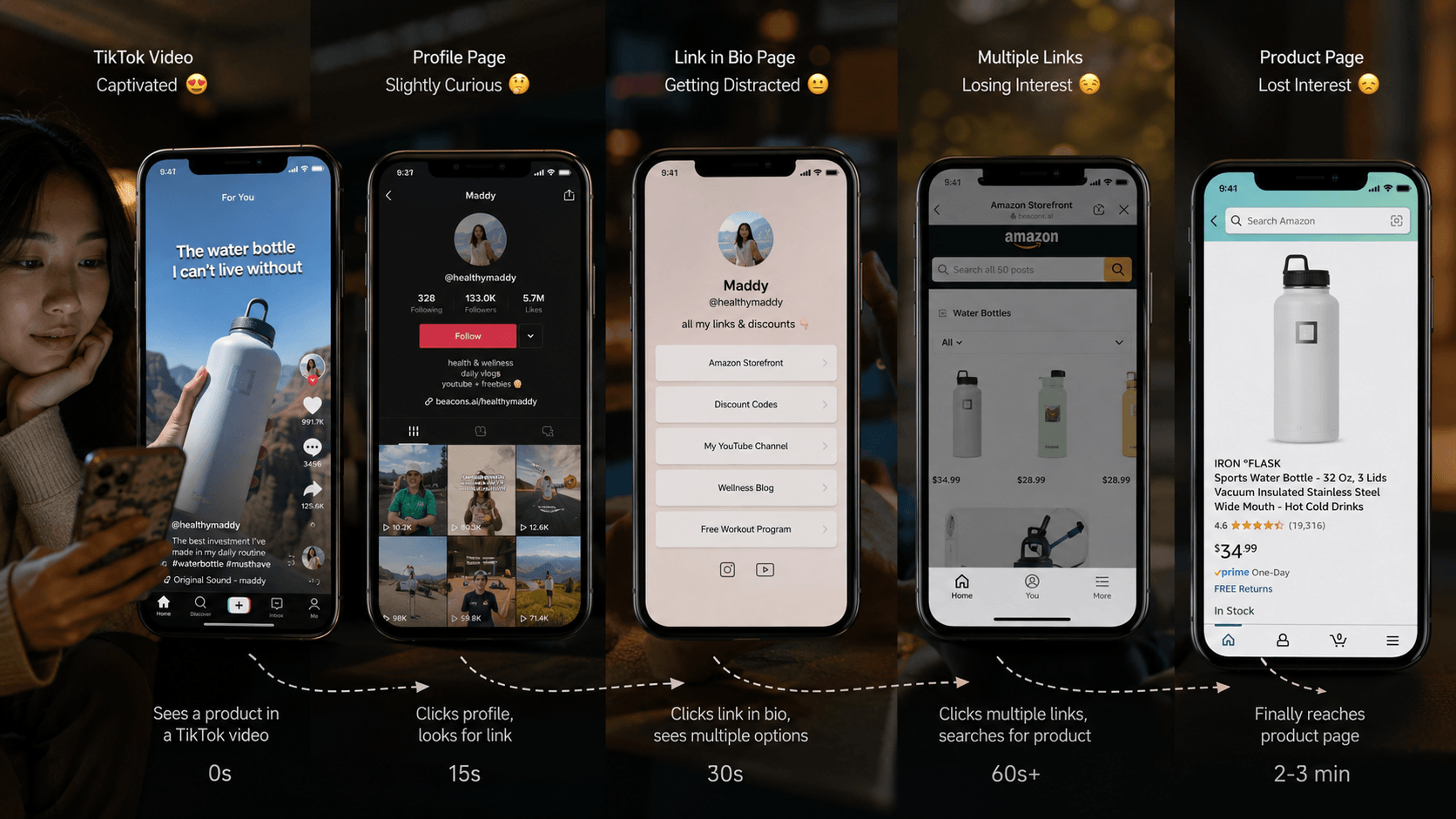
And even for followers who do navigate to your bio, the path from there to a conversion is still four or five steps long (link page < find the right link < reach destination < action (. Each step bleeds intent.
Baymard Institute found that 70.22% of all online shopping carts are abandoned - with a too-long or too-complicated process among the top causes. [5] If even committed buyers abandon that late in a process, casual TikTok viewers redirected to a bio link barely get started.
Here's the full picture of what's happening every time you post a TikTok with a link in bio CTA:
Meanwhile, TikTok's algorithm registered that people watched your video but didn't take any meaningful off-platform action - and it also notes that your content had lower retention signals than videos that kept people watching.
Conversion Methods Comparison
| Method | Steps to Convert | Friction Level |
| Link in Bio | 5-6 steps | High |
| TikTok Shop | 1-2 steps | Low |
| In-Video QR (SnapScan) | 1-2 steps | Low |
TikTok conversion optimization means aligning your CTA funnel with how TikTok is actually used - not fighting against it.
That means:
The most effective way to do all of this at once is to make the conversion action part of the video itself - not a separate step that happens somewhere else.
When you embed a QR code directly inside your TikTok video, the conversion path changes fundamentally.
And This solves two problems at once:
According to SnapScan's own revenue modeling, in-video QR scan conversion rates average around 4.5% versus a typical link-in-bio click rate of approximately 1%, from the same audience, watching the same content.[7]
Not all QR placements are equal. TikTok's UI overlays specific elements over your video - the username, caption, sound info, and interaction buttons all occupy defined screen zones. If your QR code lands under any of these, it won't be visible or scannable. For a full visual breakdown, see our TikTok QR placement guide (coming soon).
The safe zones for TikTok specifically:

Beyond placement, the QR needs to stay visible for at least 3–5 seconds - long enough for a viewer to recognize it and scan using their camera or screenshot method. It needs high contrast against the video background (white QR on dark background or vice versa works best) and a minimum size of roughly 25–30% of the frame width on mobile.
TikTok Shop is the clearest proof that native checkout converts better than external links. When a viewer taps a product in a TikTok Shop video, the entire purchase flow - product page, cart, payment - happens inside TikTok. No profile visit, no bio link, no third-party page load. In-app checkout on TikTok Shop converts at 5-8% - compared to 2-3% for ads driving traffic to an external site.[8] The reason behind the better TikTok Shop conversions is largely driven by the removal of unnecessary steps in the purchase journey.
TikTok has strong incentives to keep users inside the app. Content that completes transactions inside the app may have advantages over the content that sends users elsewhere, as it reduces friction and aligns more closely with TikTok's native user experience. Less friction between discovery and purchase also means that if you can get more than 40% of viewers past the 3-second mark, downstream conversion rate doubles.[9]
But TikTok Shop has a significant limitation: it only works for products listed inside TikTok's own commerce ecosystem. If you're selling a course, promoting an affiliate product, driving bookings, or building an email list, TikTok Shop isn't an option. This is where SnapScan applies the same principle - in-video conversion - to any destination, not just TikTok's own store. Viewers scan while watching, land directly on your product page, opt-in, or booking calendar, and the conversion happens at peak intent.
For creators running TikTok Shop sales alongside other offers, in-video QR codes let you run both strategies simultaneously - native Shop for listed products, SnapScan for everything else.
In-video QR codes aren't one-size-fits-all - but they work across more creator categories than most people expect. Here's how different types of content creators are using them:
A creator reviewing a blender can place an in-video QR code beside the product while demonstrating it. The viewer scans during the reveal, at peak desire - not five minutes later when they’ve half-forgotten the video.
When someone watches a foundation tutorial and sees the exact shade being used, they want it now. A QR code during the application moment takes them straight to the product page before the impulse fades.
Someone watching a workout and feeling inspired to buy a program is in the right mindset - but it has a short window. A QR code during the transformation reveal or product demo captures the decision before the next video starts.
A creator teaching a skill is simultaneously demonstrating why you should buy their course. When the QR code appears at the most useful moment in the video, the viewer is already sold.
A viewer watching a property tour and feeling interest can scan instantly to book a viewing - before that interest cools into “I’ll think about it.”
When you remove the external link from your caption and move the CTA inside the video, two things happen at the same time.
First, your video's distribution improves. The algorithm no longer reads exit intent from your content. Completion rates improve because viewers aren't dropping off to follow a bio link mid-video. Higher completion rates > higher distribution > more views > more potential scans.
Second, the conversion rate from those views improves. Viewers encounter the CTA at peak engagement. The path from interest to action is one step instead of six. Impulse decay has no time to set in.
The best way to increase TikTok conversions isn’t only the better content, it’s closing the loop between those views and the actions that matter. More reach feeding into a more efficient conversion path, instead of fighting each other That's how you genuinely improve TikTok conversions, not with tricks, but with structure. See how other creators are doing it on the for creators page.
Does Link in Bio Hurt TikTok Reach?
Not in a direct, penalty-based way - TikTok hasn't published explicit rules about this. But the behavioral effect is real. When viewers leave a video to follow a bio link, watch time and completion rate drop. These are two of the most heavily weighted distribution signals in TikTok's algorithm. Content that keeps people watching gets distributed further. Content that causes viewers to leave mid-video doesn't. The indirect impact on reach is significant even if there's no official penalty.
How Do I Get More Sales From TikTok?
Increase TikTok conversions is all about closing the gap between the moment of interest and the moment of action. That means: stop asking viewers to navigate somewhere after the video ends. Put the conversion action inside the video itself - either through TikTok Shop for listed products, or through in-video QR codes for everything else (affiliate links, course sign-ups, booking pages, digital downloads). The fewer steps between "I want this" and "I got it," the more sales actually happen.
Can QR Codes Be Used on TikTok?
Yes. You can embed a QR code directly inside your TikTok video frame using a tool like SnapScan. The code is baked into the video file itself before you upload, so it appears while the video plays and isn't flagged as an external link in the caption. Viewers scan it with their phone camera or by screenshotting the frame - and land directly on your destination while the video continues.
How Do People Scan QR Codes on TikTok?
There are four main methods. iPhone users on iOS 15+ can pause the video, screenshot the frame, open it in Photos, and use Live Text to tap the QR code. Android users on newer flagships (For example Pixel 8, Samsung Galaxy S24) can use Circle to Search - long press Home, draw a circle around the code. Both platforms support Google Lens via the Google Photos app. And anyone can screenshot a frame and upload it to an online QR scanner. SnapScan's blog has a full guide on each method.
Can I Track TikTok QR Scans?
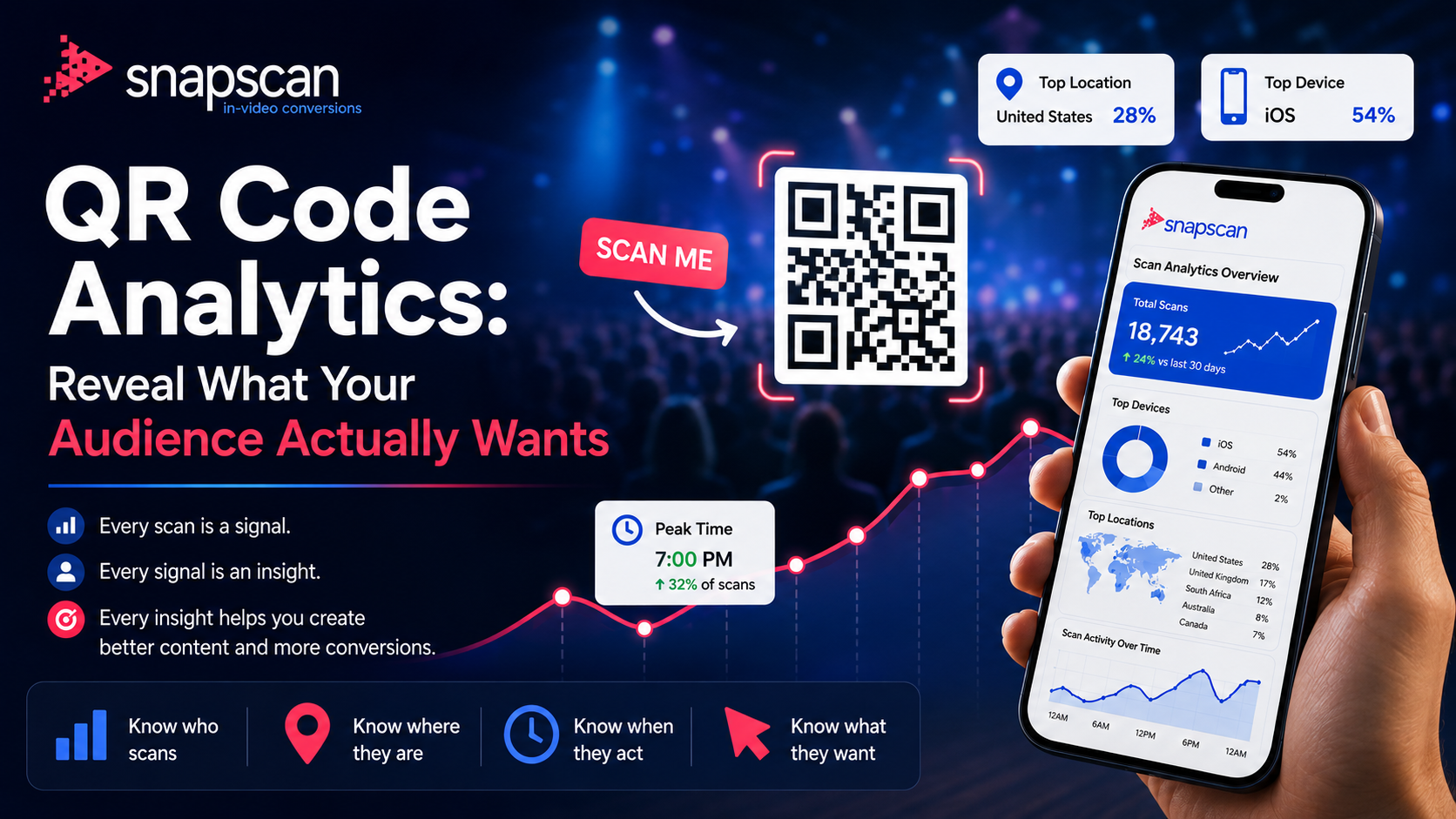
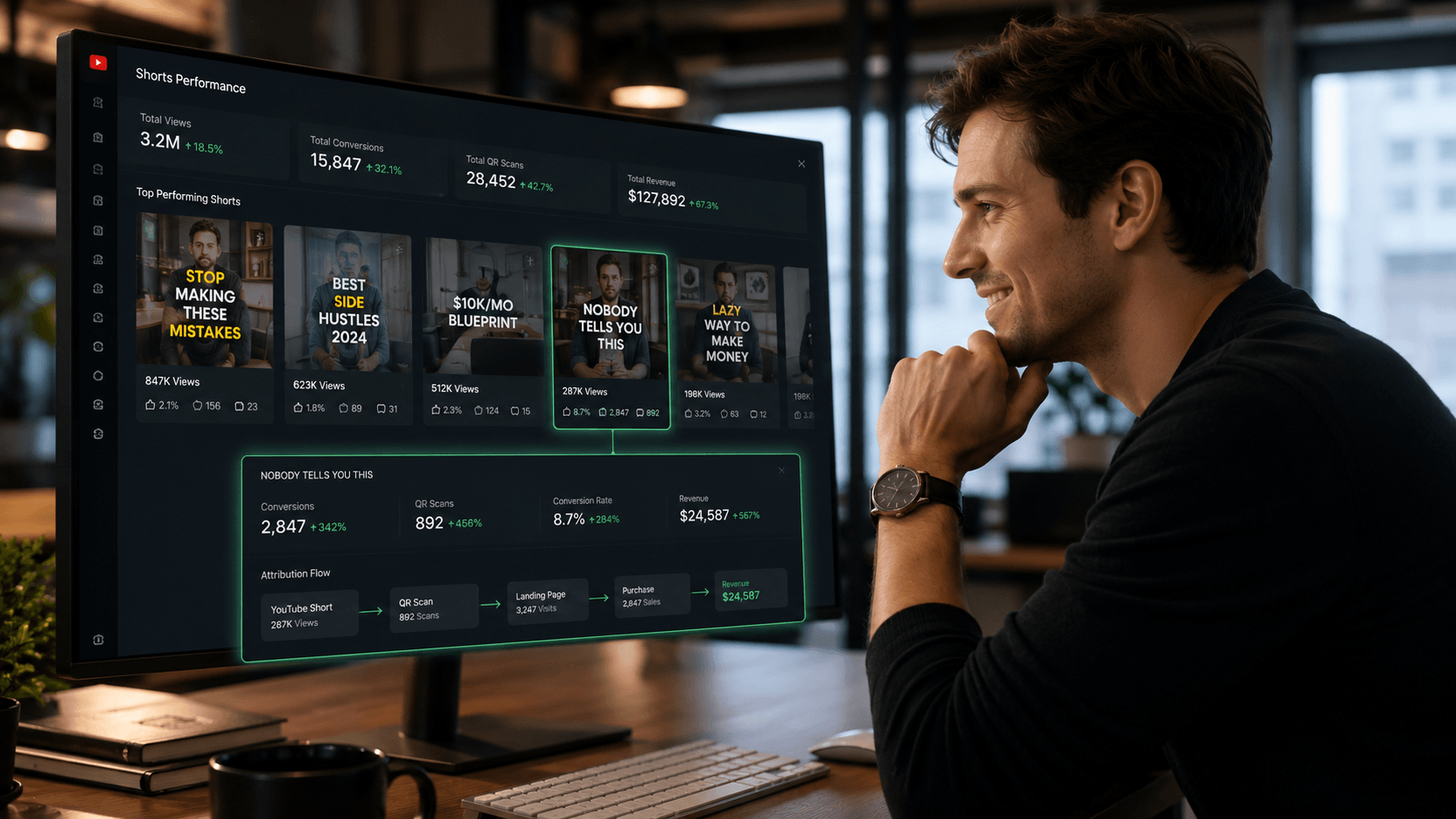
Yes - and this is one of the most significant advantages of in-video QR over link-in-bio. Every scan through SnapScan is attributed to its source: the specific video, the platform it was posted on, the device used, the time of day, and the geographic location. With link-in-bio, you know someone clicked a link. With in-video QR, you know exactly which video drove the action - which means you can make data-based decisions about what content to create more of.
REFERENCES
[1] OpusClip Blog - "What Content Creators Need to Know About TikTok's New Algorithm in 2026"https://www.opus.pro/blog/tiktoks-new-algorithm-2026
[2] Sotrender Blog - "8 Strategies to Navigate the TikTok Algorithm Changes in 2025" https://www.sotrender.com/blog/2025/08/tiktok-algorithm/
[3] Hashmeta - "Major Facebook Algorithm Changes in 2025" (external link reach reduction data)https://hashmeta.com/insights/facebook-algorithm-changes-2025
[4] Tapmy - "Link in Bio Click-Through Rate Benchmarks by Platform" (2026) https://tapmy.store/blog/link-in-bio-click-through-rate-benchmarks-by-platform-2026-data
[5] Baymard Institute - "Cart Abandonment Rate" (2024). Cited via Statista https://baymard.com/lists/cart-abandonment-rate
[6] TokPortal - "TikTok Organic Growth: Proven Tactics for Multi-Country Reach" (2025) https://www.tokportal.com/post/tiktok-organic-growth-proven-tactics-for-multi-country-reach
[7] SnapScan - Product documentation and conversion methodology https://snapscan.link
[8] Ringly.io - “47 TikTok Shop Statistics You Need to Know in 2026” (2026) https://www.ringly.io/blog/tiktok-shop-statistics-2026
[9] TikAdSuite - “TikTok Conversion Rate Benchmarks: What is Good? (2026 Data)” https://tikadsuite.com/blog/tiktok-conversion-rate-benchmarks/
July 21, 2026
August 12, 2026